What is a Bookmarklet?
Browser bookmarks can not only save URLs but also store JavaScript code. When you click on this special bookmark, the code will execute on the current page. Using this feature, we can create convenient one-click tools.Quickly Create Your Auto-Fill Bookmarklet
- Right-click on your browser's bookmark bar → Select "Add page"
- For the name, enter:
One-Click Comment Fill - Paste the following code into the URL field (please read the configuration instructions below first):
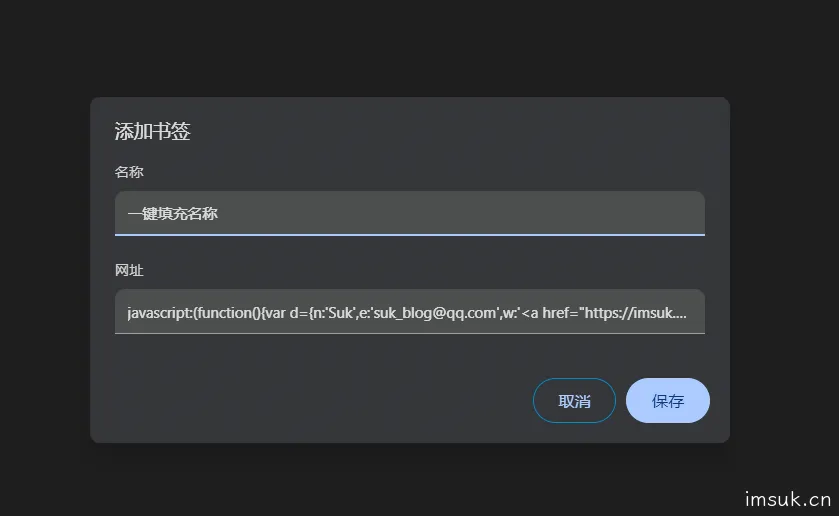
Quickly create your auto-fill bookmark
III. Configuration Instructions (Important!)
Before use, you need to modify the personal information at the beginning of the code:
var d={
    n:'Suk',              // Change to your nickname
    e:'suk_blog@qq.com',       // Change to your email
    w:'<a href="https://imsuk.cn'" title="https://imsuk.cn'">https://imsuk.cn'</a>    // Change to your website
}
Replace it with your own information.
IV. What are the features of this script?
1. Intelligent matching of multiple blog systems
The script has built-in selectors for various common blog comment boxes, including:
- WordPress default comment box
- Typecho comment system
- Hexo common themes
- Disqus comment plugin
- And various custom comment forms
2. Friendly visual feedback
After successful filling, a green prompt box will appear in the upper right corner of the page, displaying the number of items filled, which will disappear automatically after 3 seconds.
3. Trigger form events
Not only fills in the values but also triggers input and change events, ensuring that form validations that depend on these events can work correctly.
4. Safe and reliable
- Only operates on the front end, will not upload your information
- Has error handling mechanism to prevent script crashes
- Only operates on INPUT elements, will not mistakenly modify other content
V. Brief analysis of working principle
The core logic of the script is very clever:
- Data preparation: Define personal information and common selectors
- Intelligent search: Try various possible selectors in order
- Safe filling: Fill in and trigger events after finding the matching input box
- Result feedback: Count the number of successes and display prompts
VI. Usage scenarios and tips
Applicable scenarios:
- Creators who frequently leave comments on multiple blogs
- Front-end developers who need to test comment functionality
- Tech enthusiasts who like to communicate on different platforms
Practical tips:
- Create multiple versions: You can create bookmarks for different identities for different scenarios
- Regularly update selectors: If you encounter a blog that cannot be filled, you can inspect its form elements and add corresponding selectors
- Combine with other scripts: Can be combined with scripts that automatically fill in comment content
VII. Advanced thinking
Although this script is simple, it embodies the core idea of "automation" - handing over repetitive operations to code. In fact, many daily tasks can be improved in efficiency through similar small tools:
- Form auto-fill
- Page information extraction
- Batch operation automation
Technology should serve people, freeing them from repetitive labor and allowing them to focus on more valuable things.
VIII. Precautions
- Only use on trusted websites, avoid executing any scripts on unsafe websites
- Update selectors in time, new blog systems may require adding new selectors
Conclusion
In the new year of the horse, may this small tool be like a swift horse, helping you navigate the world of blogging smoothly. The meaning of technology is to make life simpler and communication smoother.
Go and create your own "one-click fill" bookmark now! If you encounter any problems during use, or have better selector suggestions, you are welcome to share and discuss in the comment section.
Let code replace repetition, and let thinking create value.