Preparation
This tutorial is theoretically applicable to models 8g2 and above. You can try it yourself. The streamer is using a OnePlus 13.
File Download
[hide]Click here to download[/hide]
Remember to install all drivers (in the drivers folder in the previous directory, there are three).
Phone Side 1
Step 1: Open Settings
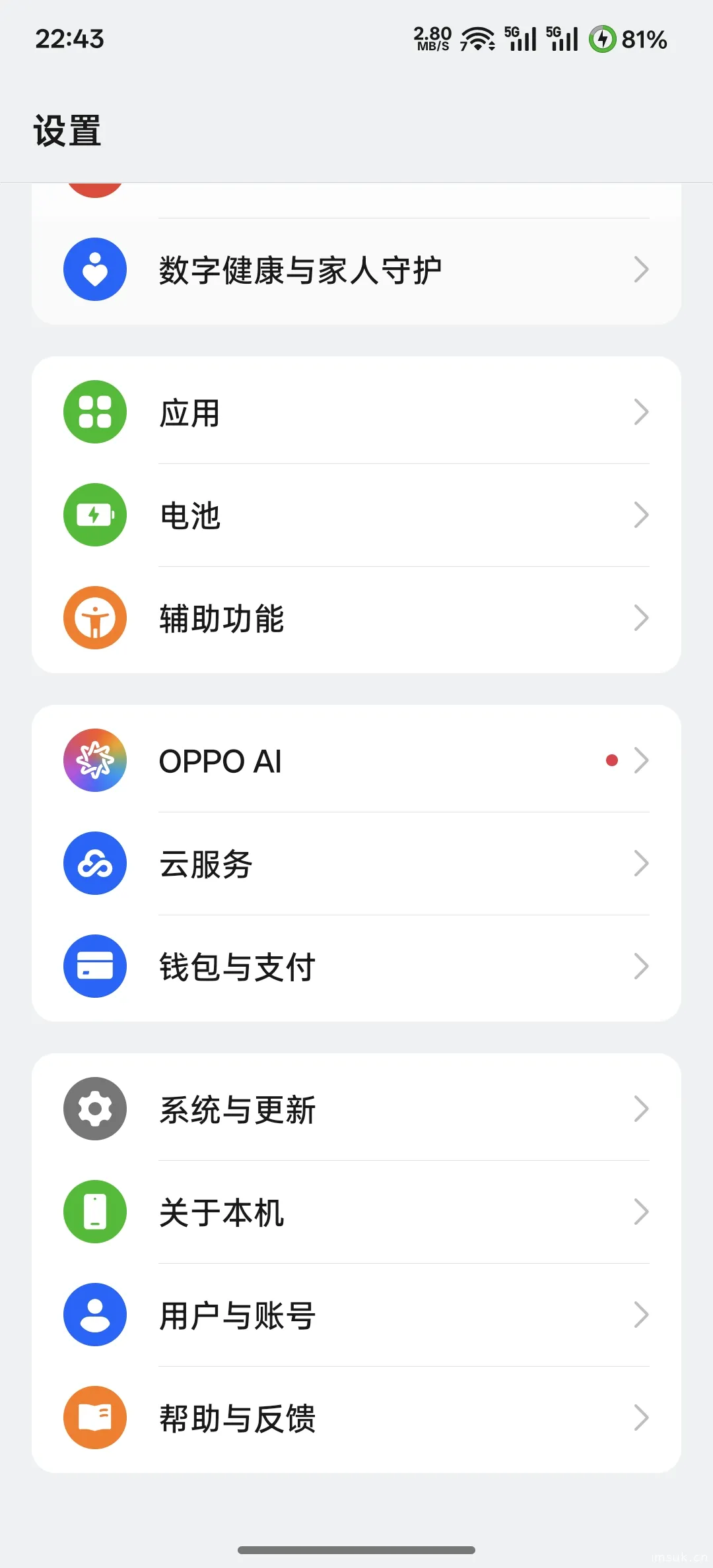
Step 2: Find Version Information in About Phone
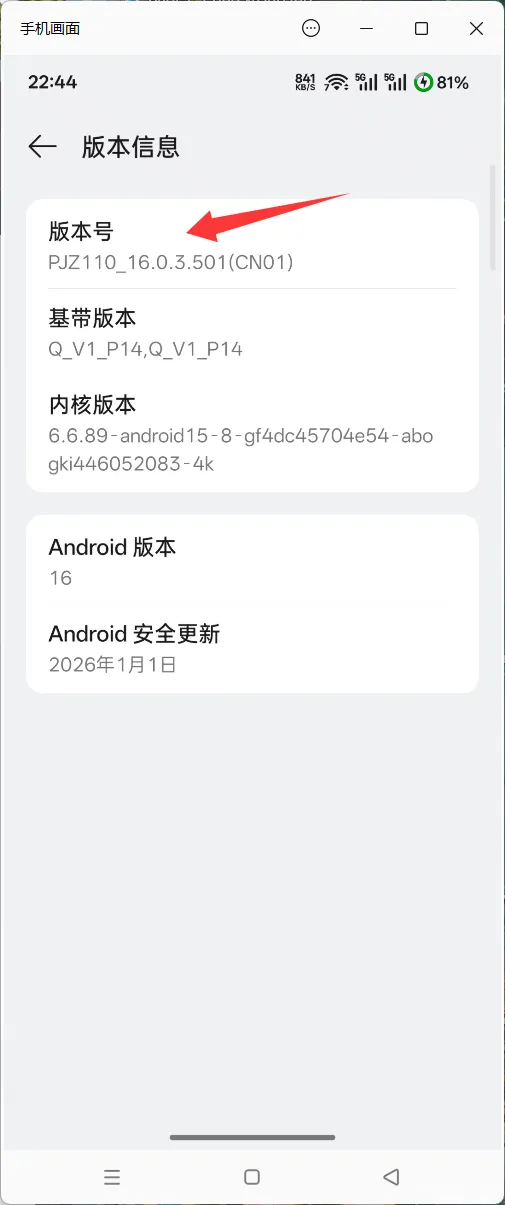
Tap the build number seven times until you see "You are already in developer mode."
Step 3: Enable USB Debugging
Go back to System & Updates, find Developer Options, and enable USB debugging. Screenshots are prohibited here, so you can't see it.
Step 4: Connect Phone to Computer
Please enter image description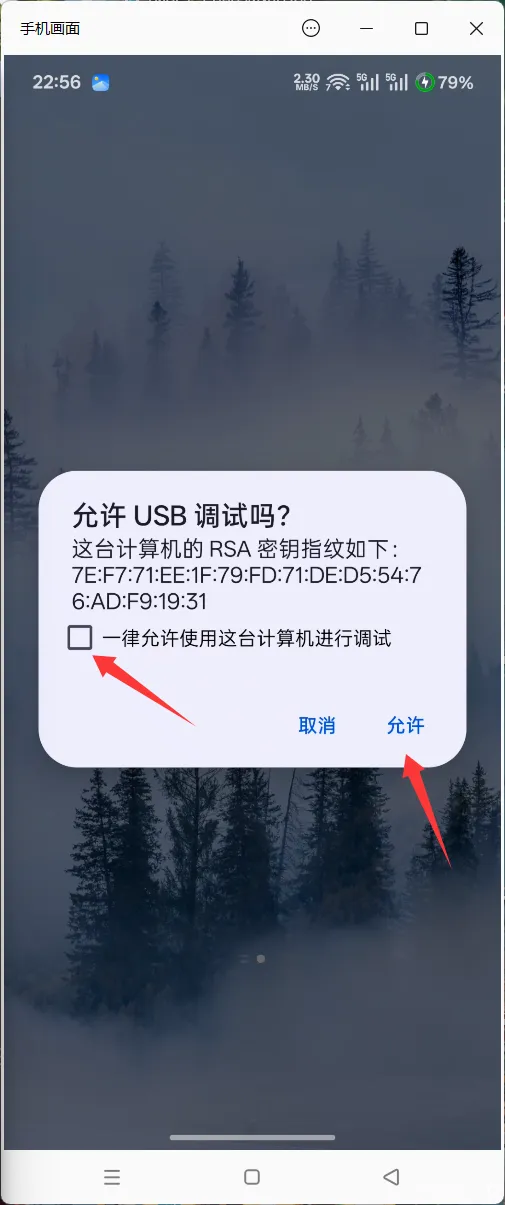
Computer Side
After clicking "Allow," press Win+R on your computer, type "cmd," and open the cmd window.
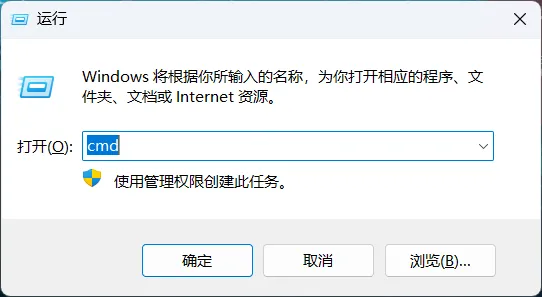
Type "adb devices" to check if there is a device. 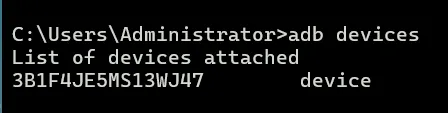
If there is, you can enter the next command:
adb reboot bootloader
Your phone will restart. Then, use the commands from the cloud drive, copying them one by one.
After executing the first line, if it shows "okay," it means success. Then enter the second line, and the phone will automatically boot up.
After booting up, place all the compressed files from the cloud drive into the phone's internal storage. 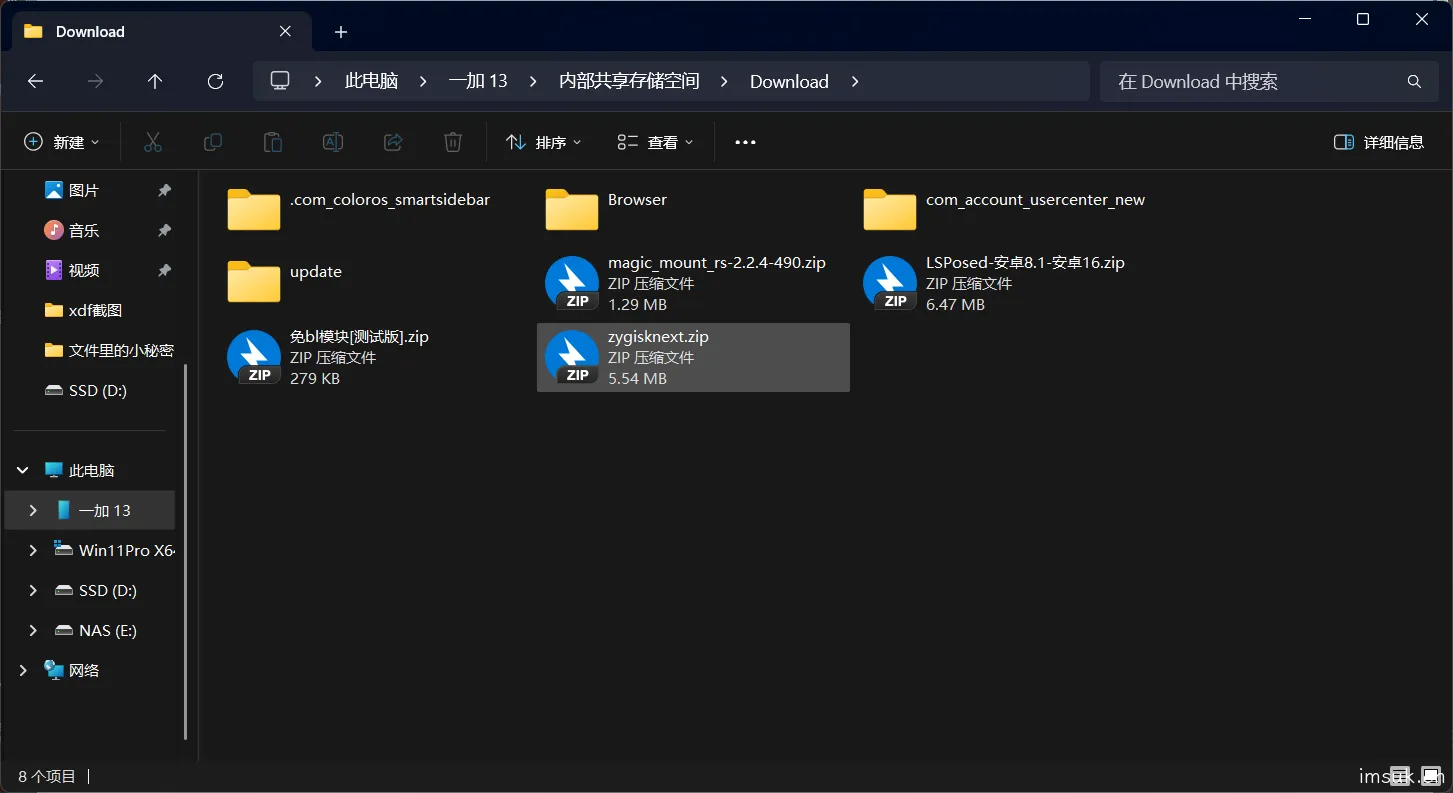
Phone Side 2
Install the APK files from the cloud drive.
Jailbreak
Open KernelSU.
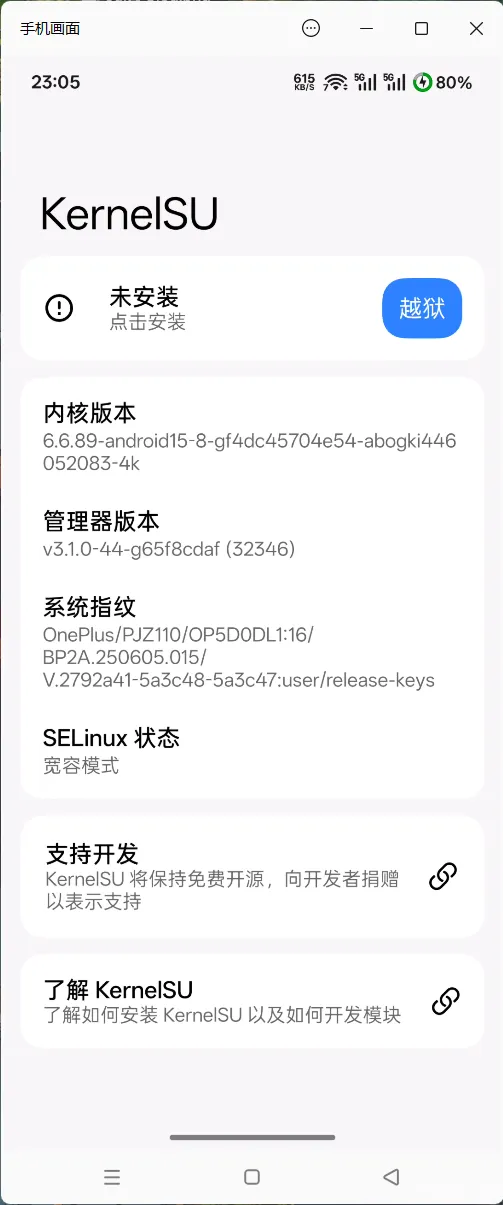
Check if there is a jailbreak button. If there is, it means you have succeeded. Click "Jailbreak" and wait a few seconds for it to complete normally.
Install Modules
Install the compressed packages copied earlier in the following order:
1. zygisknext
2. LSPosed-Android 8.1-Android 16
3. No-BL Module [Beta]
4. magic_mount_rs-2.2.4-490
After installing these, perform a hard reboot first (i.e., a normal restart, then follow the steps above again) to avoid the mount not taking effect and causing a brick.
Then, install the third module again and select "Enable Function." It will automatically configure LSP for you. Go to LSP and turn on the switch for the hidden app list, then perform a soft reboot in KernelSU.
Environment Hiding
After the soft reboot is complete, enter the module interface and click the <> icon below the No-BL Module.
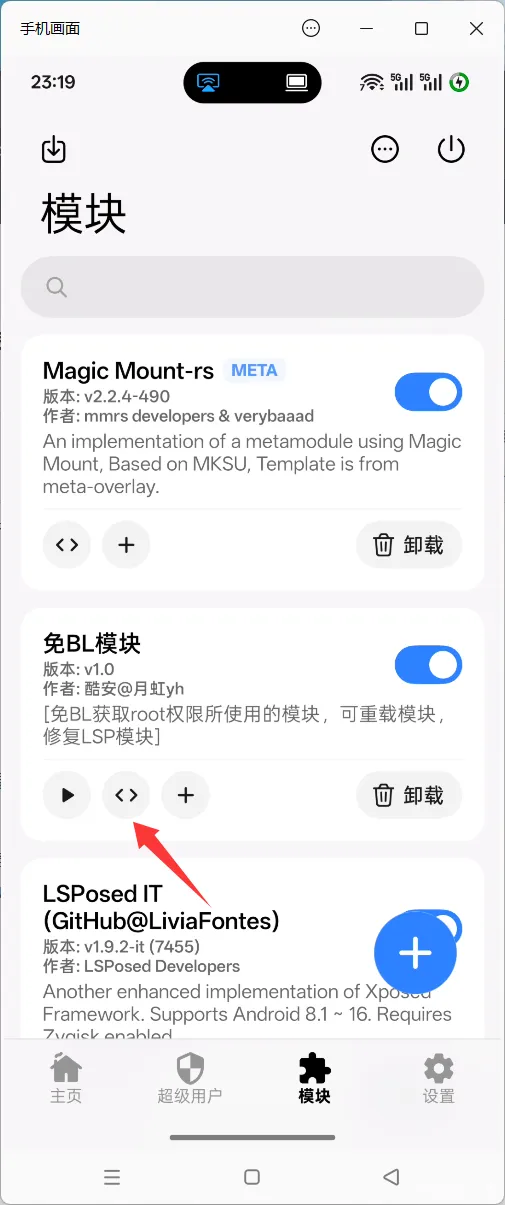
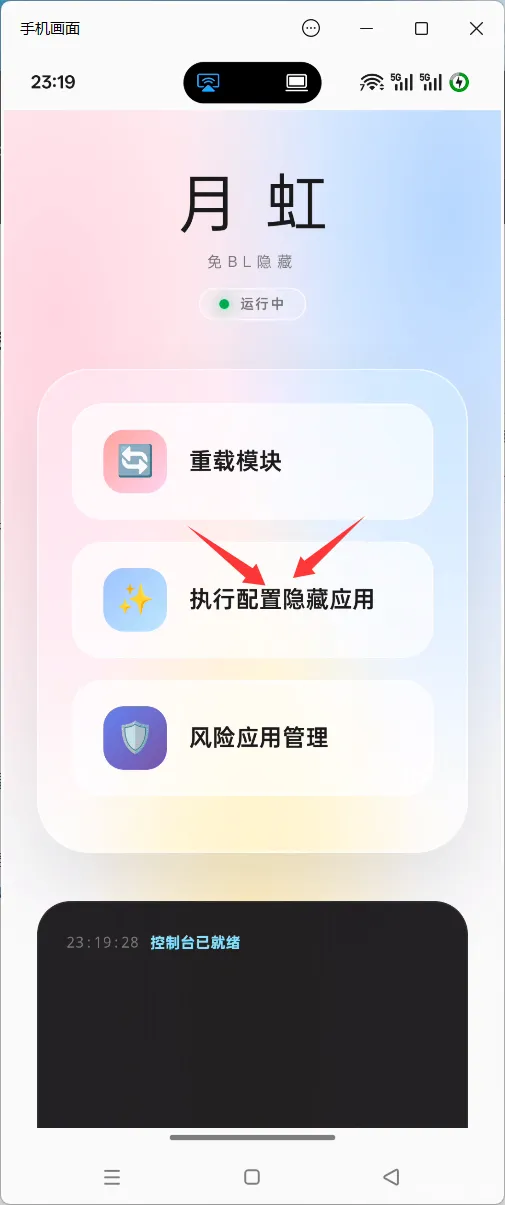
Click to execute the configuration to hide the app. If it fails, click a few more times or grant the app some permissions, such as reading the app list, within the hidden app list.
Conclusion
Normally, as long as it hasn't been flashed, the tee won't die. OnePlus is a false death, Xiaomi doesn't die, and others have no detection points. You can open the duck detection in the cloud drive to see the problem. You can leave a message to ask me, and I will help you answer when I see it.



10 comments
试试看,我也是1+13
111
666
NB
666666666666
夸克怎么了嘛
6666666下载试试
1
666